Step 1
It Listens
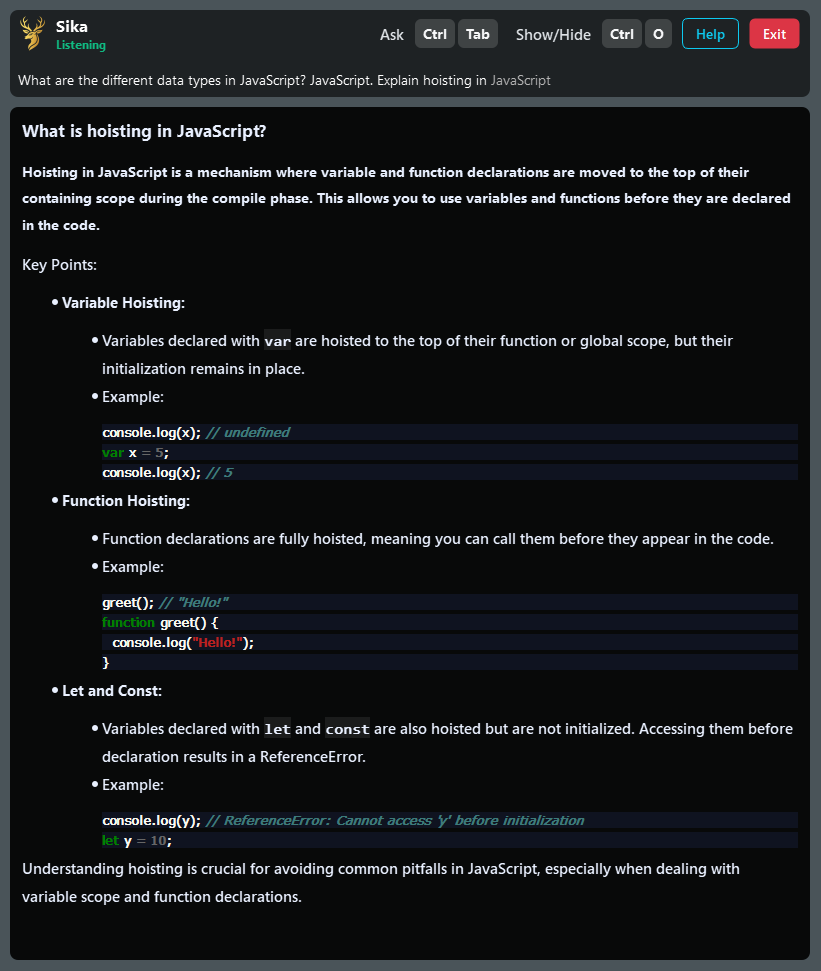
Sika listens to the interviewer’s question in real time on your device.
SikaAI is a private AI app that listens to the interviewer’s questions. When you press a shortcut key, it gives you the answer instantly. The best part — it is invisible during screen sharing, so only you can see it.
A short walkthrough to get you up and running in minutes.
SikaAI is invisible on Zoom, Google Meet, and Microsoft Teams. Even when you share your screen, only you can see it — your interviewer will never know.
 Zoom
Zoom
 Google Meet
 Microsoft Teams
Works silently in the background. SikaAI is 100% undetectable.
Real-time answers on command. Invisible on screen share. Works with Zoom, Meet, Teams, HackerRank, and LeetCode.
Sika listens to the interviewer’s question in real time on your device.
Need help? Press a key to ask Sika for an answer.
Sika generates a clear answer instantly. You can also send up to 3 screenshots for context.
The overlay is invisible on screen sharing. Your interviewer won’t see Sika—ever.
1-hour sessions • Up to 3 screenshots • Works with Zoom / Meet / Teams
Move fast with instant actions—no mouse required. Learn these keys and fly.
Generate a new answer from the latest transcript.
Generate a new answer directly from the screenshot.
Quickly show or hide the application window.
Open and view your account details.
Snap the app window to the left or right.
Navigate through the answer panel smoothly.
Toggle the help & shortcuts panel.
Exit and close the application completely.
1 Interview Credit
3 Interview Credits
5 Interview Credits
Job seekers, students, sales reps, and anyone facing high-stakes calls or interviews. If you want to sound smarter and more confident, SikaAI is for you.
You can try SikaAI for free with limited sessions. Paid plans unlock full features like coding interview support, deep analytics, and unlimited usage.
SikaAI runs locally on your device. No screen share, no external hooks — it quietly overlays tips only for you.
SikaAI supports platforms like Zoom, Google Meet, Microsoft Teams, HackerRank, and LeetCode.
Absolutely. You can reach us anytime via email at support@sikaforyou.com or through live chat — our support team is always ready to help you get the most out of SikaAI.