The Real “ACT” for Technical Interviews: A Calm, Repeatable System (Plus an Invisible AI Assistant That Works in Real Time)
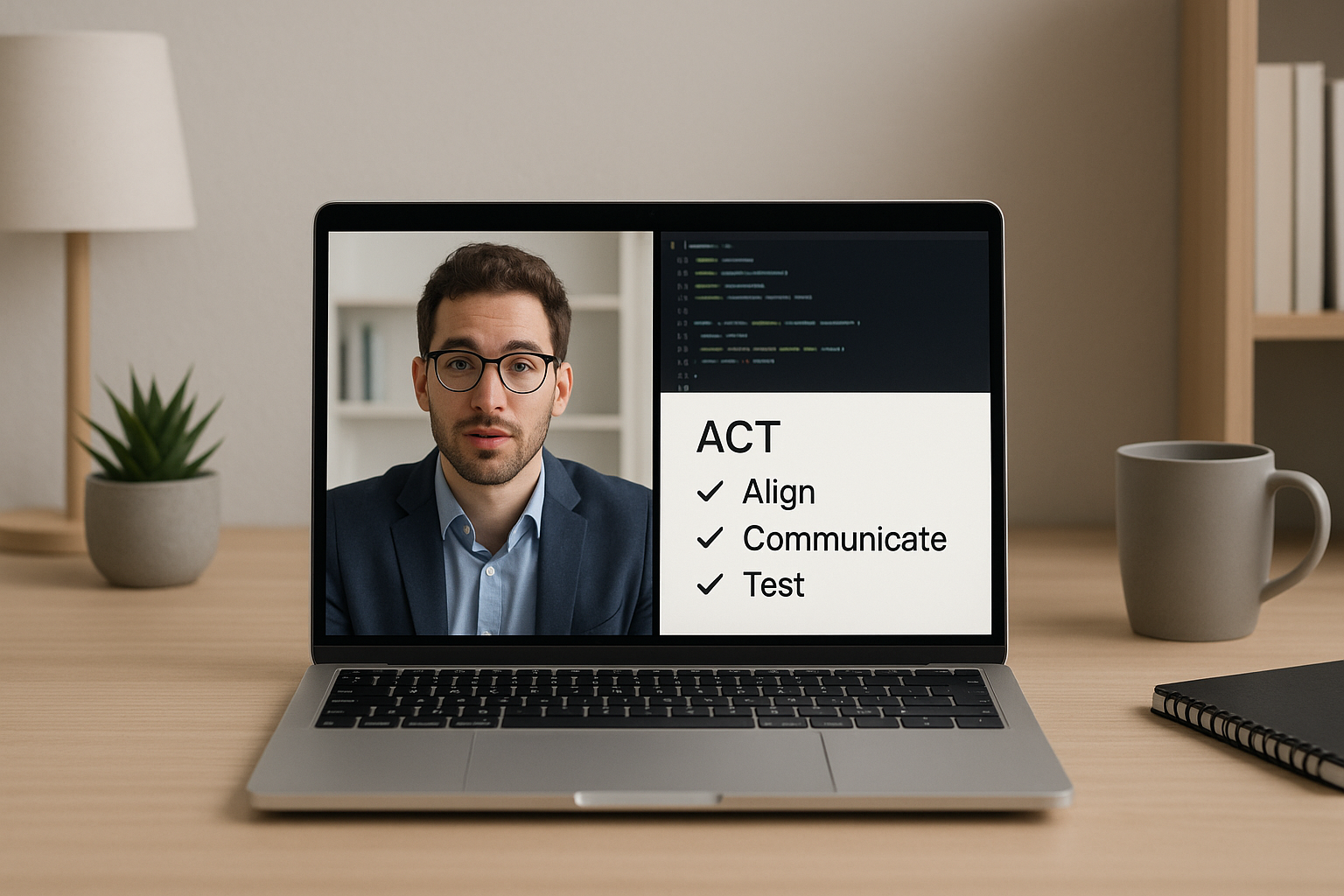
Search trends come and go, but one idea keeps showing up in high-pressure moments: ACT. Not the test—think of it as a simple, repeatable way to perform under pressure. For technical interviews, that matters because the best candidates aren’t always the ones who know the most—they’re the ones who can think clearly, communicate, and execute when the clock is running.
Below is a practical ACT framework you can use for coding rounds and live interviews on Zoom, Google Meet, and Microsoft Teams. You’ll also see how SikaAI—an invisible, real-time interview assistant—can support your process during interviews and coding challenges on HackerRank and LeetCode.
ACT for Technical Interviews: Align, Communicate, Test
1) Align: Get the problem and the constraints right (before you code)
Most interview mistakes start with misalignment: you solve the wrong problem, optimize the wrong thing, or assume constraints that aren’t there. Alignment is the fastest way to look more senior—because it shows judgment.
- Restate the problem in your own words in one sentence.
- Clarify constraints: input sizes, time limits, memory limits, expected complexity, and edge cases.
- Confirm the output format and any tie-break rules.
- Pick a direction: “I’ll start with a straightforward solution, then optimize if needed.”
Mini-script you can use:
“Let me restate to make sure I’ve got it: we need to ____. Are there constraints on n or value ranges? And should we prioritize time complexity over memory?”
Where SikaAI helps: In real time, SikaAI can support your alignment step by helping you organize clarifying questions, track constraints you’ve confirmed, and keep your plan crisp—without breaking your flow across Zoom, Meet, Teams, HackerRank, or LeetCode.
2) Communicate: Narrate like an engineer, not a student
Interviewers aren’t just grading correctness—they’re evaluating how you collaborate. Strong communication reduces uncertainty, builds confidence, and makes “almost correct” solutions easier to salvage.
- Explain your approach before implementation: data structures, complexity, trade-offs.
- Use signposts: “First I’ll… then I’ll… finally I’ll…”
- Call out assumptions explicitly: “I’m assuming the array is unsorted.”
- Think out loud during tricky parts: “Here’s the invariant I’m maintaining…”
A simple communication template:
- Approach: what you’re doing and why
- Complexity: time + space
- Edge cases: what could break it
- Verification: how you’ll test quickly
Where SikaAI helps: SikaAI can help you keep your narrative structured—especially when you’re interrupted mid-solution or asked to justify complexity. It’s easy to get lost when you’re sharing a screen, coding live, and answering questions; having a real-time assistant can keep your communication coherent and professional.
3) Test: Prove correctness quickly (and recover if you’re wrong)
Many candidates run out of time not because they can’t code, but because they don’t test efficiently. Testing is also where you can turn a shaky round into a strong finish.
- Walk through a small example before writing code.
- After coding, test three tiers:
- Happy path (simple typical input)
- Boundary (empty, one element, max constraints)
- Adversarial (duplicates, negatives, worst-case ordering)
- State what you’re checking: “I’m verifying off-by-one and overflow.”
Fast test checklist you can say aloud:
“I’ll validate with a simple case, then edge cases like empty input, then a worst-case scenario to confirm complexity.”
Where SikaAI helps: During live coding, SikaAI can help you generate targeted test cases and remind you of common edge-case traps for the pattern you’re using (two pointers, BFS/DFS, DP, binary search, etc.).
Zoom, Google Meet, and Teams Tips That Actually Affect Your Outcome
Video interview performance isn’t just “be confident.” It’s latency, clarity, and cognitive load. These small fixes reduce friction and help you think.
Zoom interview tips
- Close CPU-heavy apps (extra IDE windows, Docker builds, multiple browsers). Lag kills momentum.
- Turn off “mirror my video” if you find yourself self-monitoring instead of focusing.
- Keep a single workspace layout: call on one monitor, editor on another (or split screen), not five overlapping windows.
Google Meet interview tips
- Test screen sharing permissions in advance (especially on macOS).
- Pin the interviewer to keep nonverbal cues visible while you code.
- Use “present a tab” when demoing a web-based editor to reduce accidental notifications.
Microsoft Teams interview tips
- Confirm which account you’ll join with (work vs personal) to avoid last-minute access issues.
- Mute notifications system-wide; Teams pop-ups are notorious for breaking concentration.
Coding Interview Preparation: What to Practice (and in What Order)
If you’re preparing for HackerRank and LeetCode-style rounds, a plan beats grinding random problems.
Week 1: Foundations + speed
- Arrays/strings, hash maps/sets
- Two pointers, sliding window
- Sorting + binary search
Week 2: Core patterns interviewers love
- Stacks/queues, monotonic stack
- Trees (DFS/BFS), recursion hygiene
- Graphs basics (visited sets, shortest path intuition)
Week 3+: Depth where you’re weakest
- Dynamic programming (start with 1D, then 2D)
- Heaps, intervals, greedy proofs
- System design lite (for mid-level+)
Rule of thumb: For every problem you solve, write down (1) the pattern, (2) the failure point, and (3) the next variation to try. That’s how you turn practice into interview performance.
Why a Real-Time AI Interview Assistant Changes the Game
Traditional prep assumes you’ll be perfect under pressure. Real interviews don’t work like that—especially when you’re juggling a live call, a shared screen, time pressure, and a brand-new problem.
SikaAI is built for the moment that matters: the interview itself. It’s an invisible real-time interview assistant designed to support coding and interview rounds across Zoom, Google Meet, Microsoft Teams, HackerRank, and LeetCode.
- Stay aligned: keep constraints, requirements, and clarifications organized
- Stay coherent: structure explanations and complexity justifications
- Stay test-driven: surface edge cases and quick validation paths
The goal isn’t to “sound smart.” It’s to reduce avoidable mistakes and help you consistently show your best thinking when it counts.
Put ACT Into Practice in Your Next Interview
Before your next round, write ACT at the top of your notes:
- Align on the problem and constraints
- Communicate your plan and trade-offs
- Test quickly and deliberately
If you want a real-time edge during live interviews and coding rounds, explore SikaAI here: https://sikaforyou.com.
Pro tip: Don’t wait until the day of your interview to change your workflow. Do one mock session with your exact setup (call platform + coding platform) and practice the ACT loop end-to-end.